
List of reviewed apps:
Functions
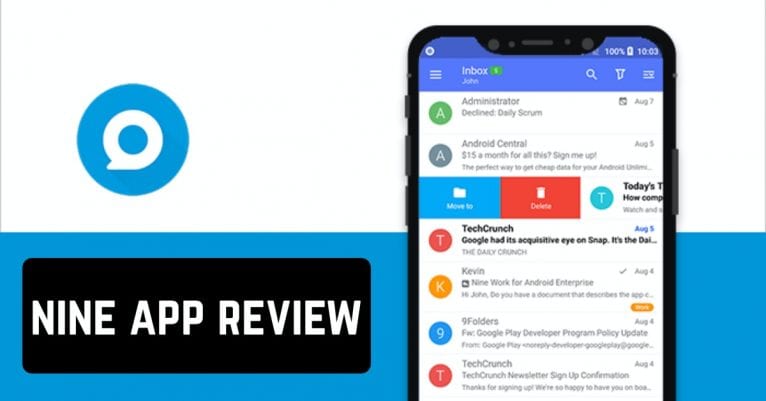
This application is different from other similar mail clients for Android. This app has such important functions as saving contacts, keeping calendar entries, and creating notes. It saves you a lot of time for your business activities.

Privacy
Besides, the main feature of this application is strict privacy. Nine does not store your personal data on its servers. It connects directly to your server, which allows you to store all data only within your mobile device.Design
A nice addition is also a beautiful design in bright and light shades. You can design the color scheme of the application yourself. You can do this in the settings by selecting one of the suggested themes of your choice. One of the most popular is dark mode, during which your eyes will not get tired of bright colors. All actions here are made in beautiful animations, which makes using this application even more enjoyable.Notifications
When a new email is sent to your mail, you receive a notification on your phone. In this notification, you’ll see the beginning of the email and the subject you’ve specified. This way, you can immediately see if the email is important, or if you can postpone the response to the email for a while.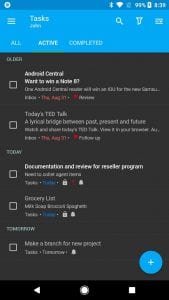

Battery usage
Users also note that their smartphone’s battery usage is low. That is, even if you use the app frequently or leave it open, it will have almost no effect on your battery level. The Nine app has high scores on Google Play. Developers regularly make new updates based also on feedback from users. To sum up, Nine is a truly unique app. It allows you to do business and personal communication whenever you want, without missing a single important message. (No longer available on the App Store) You may also like: 15 Best Android E-mail appsKey Features
- Multi-account email management with support for Exchange, Gmail, and other popular providers
- Integrated calendar and contact management to keep your professional life organized
- Advanced security options including password protection, fingerprint unlock, and data encryption
- Customizable gestures and themes for a personalized email experience
- Direct Push technology for real-time email synchronization and instant notifications
Pros and Cons
- Pros:
- Excellent for business users who rely on Microsoft Exchange for email synchronization
- Packed with productivity features like task management and note-taking in one app
- Strong security measures keep your sensitive business communications protected
- Cons:
- The interface may feel feature-heavy for casual email users who just want simple messaging
- Setup and configuration can take some time if you’re juggling multiple email accounts
Bottom Line
If you’re a business professional who needs a reliable, secure email client that plays nicely with Microsoft Exchange, Nine is definitely worth downloading. It’s the go-to choice for entrepreneurs and corporate employees who demand more than just basic email functionality and appreciate having their calendar, contacts, and tasks all in one place.